Long-distance DMX can look simple on a stage plan: one console, a cable run, and several fixtures. In practice, cable choice affects signal quality, especially across venues, outdoor stages, or crowded equipment areas. What cables are needed for long-distance DMX signal transmission? Choose cable designed for DMX512, with a nominal 120-ohm impedance, twisted-pair conductors, and shielding. These details help preserve the digital signal and reduce interference from power cables, dimmers, and nearby equipment. A microphone cable may fit the connector, but it is not a dependable substitute for proper DMX cable.
Distance alone does not determine reliability. Cable condition, fixture input quality, connectors, and the number of connected devices all matter. Keep the data line in a daisy chain rather than using passive star branches. At the final fixture, use a suitable 120-ohm terminator. For especially long runs, or when equipment is spread across electrically noisy areas, consider a DMX splitter or a fiber-based system designed for the application. Check the manufacturers’ specifications before installation; practical limits can vary. I have seen a neat-looking run fail because one connector was loose. It happens. This guide explains how to compare cable construction, length, shielding, and system accessories, then test the complete run before a show. There is no magic cable that fixes every layout, and that part deserves honest attention.
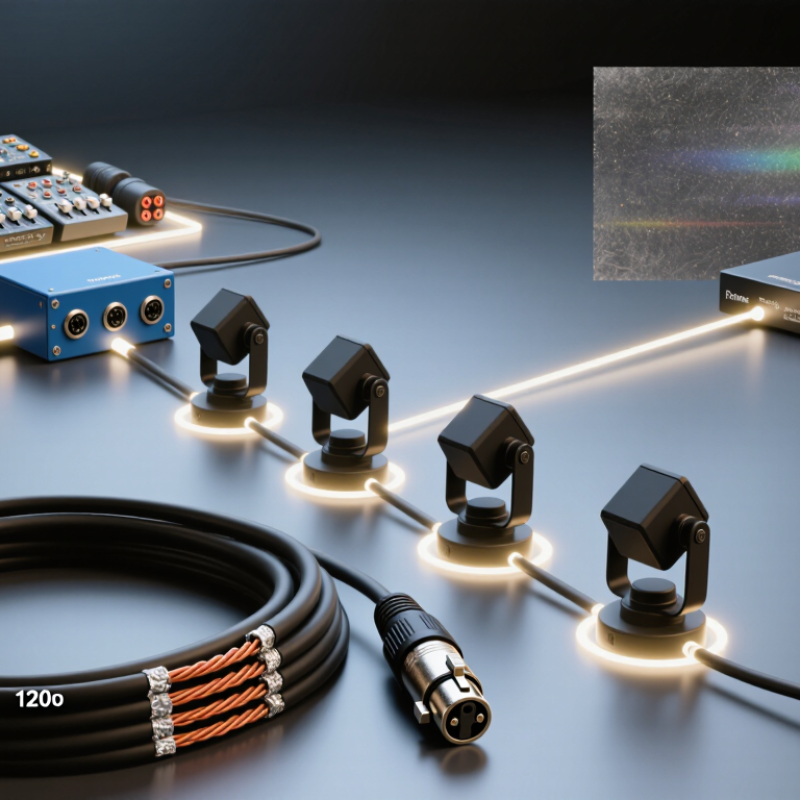
Define Long-Distance DMX Cable Requirements
Define the distance before choosing the cable. A 30-metre run through one room is different from a 300-metre route across a venue, with connectors and joins adding failure points. ANSI E1.11-2008 (R2018), the DMX512-A standard, specifies a serial data rate of 250 kbit/s. It also relies on balanced, differential signalling. Choose cable with a nominal 120-ohm characteristic impedance, suited to digital data—not ordinary microphone cable, even if its connectors fit. Small details matter.
Count the receivers on each line, too. ANSI E1.11 uses a limit of 32 unit loads per DMX line; some receivers count as less than one. Check device specifications rather than counting fixtures alone. For long runs, define the route, receiver load, connector transitions, and termination plan before installation. Keep the line as a daisy chain, and terminate its far end with a 120-ohm resistor. Avoid splitters or star branches unless a suitable distribution device isolates them. Test the complete run at the intended data rate; a cable that works on a short bench test may fail after several joins. Standards give a solid starting point, not a guarantee for every venue. I would still leave room for a spare run. It feels cautious, perhaps, but repairs become awkward above a crowded ceiling.
Compare Cable Types and Electrical Specifications
Long-distance DMX depends on impedance, capacitance, and topology—not simply a thick cable jacket. ESTA’s ANSI E1.11 DMX512-A specifies a 250 kbit/s data rate and an EIA-485 electrical interface. For reliable transmission, choose shielded, twisted-pair cable with a nominal 120-ohm characteristic impedance. Check the cable’s data sheet; similar-looking microphone cable may have unsuitable electrical properties.
Capacitance matters. High capacitance can soften signal edges, especially over long runs with multiple fixtures. Keep branches short, avoid star-shaped wiring, and terminate the final fixture with a 120-ohm resistor.
Small details matter. The standard permits line lengths approaching 1,200 metres under specified conditions, but actual performance depends on cable, loading, and connected equipment. Treat that figure as a limit, not a promise.
For a touring setup, compare impedance, capacitance per metre, conductor resistance, and shielding coverage before purchase. A low-resistance conductor can reduce voltage drop, while a continuous shield helps limit interference from nearby power cables. Inspect connectors and test the complete run at its installed length. A cable that works on a floor may behave differently when coiled or routed beside dimmer feeds. I would still leave margin: real venues rarely match ideal test conditions.
Assess Run Length, Signal Loss, and Termination
How to Choose Cables for Long Distance DMX in 2026?
Assess Run Length, Signal Loss, and Termination
DMX512 runs at 250 kbit/s, so each bit lasts four microseconds, according to ANSI E1.11. That fixed rate does not guarantee a fixed cable distance. Cable impedance, capacitance, connectors, and branch wiring all affect the signal. Measure the actual route, including the detours around trusses and dimmer racks. A long cable that looks tidy on a plan can behave badly when split into branches.
Choose cable designed for balanced digital data, with nominal 120-ohm impedance. TIA-485-A specifies a bus supporting up to 32 unit loads; that is a receiver-loading limit, not a distance promise. Signal reflections matter too. Fit a 120-ohm terminator across data pair pins 2 and 3 at the final receiver, not at every fixture. Keep the line as a daisy chain. A star-shaped split may work briefly, then produce flicker when more fixtures are added. It is easy to blame the cable.
For a long run, inspect both ends and test with the full fixture load connected. Look for crushed jackets, loose pins, and unexpected branches. ANSI E1.11’s 250-kbit/s rate is a useful design reference, but it cannot predict losses in an unknown cable path. If the signal becomes intermittent, shorten the run or use a properly isolated repeater; don’t assume thicker conductors will fix data reflections. I would recheck termination before replacing good cable. That step gets overlooked.
How to Choose Cables for Long Distance DMX in 2026? — Assess Run Length, Signal Loss, and Termination
| DMX Run Length |
Cable Choice |
Signal-Loss Assessment |
Topology and Device Load |
Termination and Practical Checks |
| Up to 100 m (about 330 ft) |
Use shielded, balanced twisted-pair data cable with a nominal characteristic impedance of 120 Ω. Check the cable datasheet for suitability at DMX data rates. |
Often straightforward on a correctly wired line, but cable quality, connectors, interference, and connected equipment still affect reliability. Do not infer signal loss from distance alone. |
Run a daisy-chain line from the DMX source through the receivers. Keep the number of receivers within the applicable DMX/RS-485 loading limits. |
Fit a 120 Ω terminator across data pair pins 2 and 3 at the final receiver. Check polarity, continuity, shielding, and connector condition. |
| 100–300 m (about 330–1,000 ft) |
Choose purpose-made DMX or RS-485 cable with documented impedance and attenuation. Prefer a robust shield and suitable conductor size for the installation. |
Ask for attenuation data in dB per 100 m at relevant frequencies. Longer cable and additional connections can reduce signal margin; verify the actual installation rather than relying on a universal loss figure. |
Keep the run linear and avoid star wiring. If the system has many receivers or a difficult electrical environment, consider a DMX splitter or repeater to create isolated segments. |
Terminate only the end of each line segment. Test at the farthest receiver for intermittent flicker, data errors, or loss of control, especially with all devices connected. |
| Over 300 m (about 1,000 ft) |
Do not assume ordinary microphone cable or an unverified cable will work reliably. Select cable using its impedance, attenuation, shielding, and installation requirements. |
Performance depends on cable specifications, receiver characteristics, wiring, and interference. There is no single dependable signal-loss value for every cable and DMX installation. |
Break the route into shorter DMX segments with suitable active splitters or repeaters. Keep each output as a separate daisy-chain line and observe the device-loading limits for each segment. |
Terminate the final receiver on every independently driven segment with 120 Ω. Follow the splitter or repeater instructions and confirm operation at the end of each run. |
| Any length in a noisy or electrically challenging area |
Use shielded twisted-pair data cable rated for the environment. Route it away from mains wiring, motors, dimmer outputs, and other strong interference sources where practical. |
Electrical noise, poor bonding, damaged cable, and incorrect wiring may cause errors even on short runs. Inspect the installation and test with suitable DMX diagnostic equipment if problems persist. |
Avoid passive star branches and long stubs. Use an active DMX splitter when multiple branches are required; each output should be treated as its own line. |
Maintain consistent data-pair polarity and shield practice. Use one end-of-line terminator per segment, not a terminator at every fixture. |
Planning note: Run-length bands are practical planning guides, not guaranteed limits. DMX512 uses a 250 kbit/s data rate; cable performance depends on the specific cable and complete system. For reliable long-distance runs, check the cable datasheet, follow equipment instructions, and test the finished line.
Choose Shielding, Connectors, and Installation Protection
For long-distance DMX, shielding and cable geometry matter more than a thick outer jacket. Use a shielded, twisted data pair with nominal 120-ohm impedance; ordinary microphone cable can have unsuitable electrical characteristics. ESTA’s ANSI E1.11 DMX512-A standard specifies a 250-kbit/s signal, while TIA-485-A describes a bus supporting up to 32 unit loads. These figures explain why cable choice and receiver loading both matter. A shield helps limit interference from nearby power lines, but it cannot fix poor termination.
Choose connectors with secure locking and clear pin identification. Standard DMX wiring uses pin 1 for the shield, pin 2 for Data−, and pin 3 for Data+. Check continuity before a show, especially after repeated coil-and-uncoil cycles. Small faults hide well. Fit a 120-ohm terminator across the data pair at the final receiver, not halfway down the run. For long or electrically noisy routes, test the complete line with every device connected; a cable that works on a bench may behave differently in a crowded venue.
Installation protection is part of signal reliability. Keep data cables separate from mains runs where practical, avoid tight bends, and protect floor crossings with cable ramps. Outdoors, use connectors and jackets rated for the exposure, and keep joins off wet ground. Label both ends. It seems basic, but rushed crews often skip it. Inspect jackets for cuts and crushed spots before deployment; shielding damage can be invisible from a distance. The imperfect part: no inspection catches everything, so leave time for a real signal test.
Test DMX Compatibility and Signal Reliability
How to Choose Cables for Long Distance DMX in 2026?
Test DMX Compatibility and Signal Reliability
Long-distance DMX can expose cable problems that stay hidden during a short bench test. Choose shielded, twisted-pair cable designed for DMX, with a nominal 120-ohm impedance. Ordinary microphone cable may work nearby, but impedance mismatches can cause reflections, flicker, or missed commands over longer runs. Small faults matter. Check connector condition, polarity, and shield continuity before testing.
Terminate the line at the final fixture with a 120-ohm resistor across data plus and data minus. Avoid passive Y-cables; use a DMX splitter when the signal path must branch. Test the actual installed route, not just a short cable sample. Connect a tester or console, then run a slow channel chase with every fixture connected. Watch for delayed responses, random flashes, or fixtures that stop responding when other units activate.
A tester can reveal line faults, but testing with real fixtures catches practical compatibility issues. Try the system with cables coiled, routed near power lines, and placed in their final positions. If problems appear, isolate sections and replace one cable at a time; changing several things at once can hide the cause. Long runs may behave differently across venues, so a second check is worthwhile.
Conclusion
Choosing cables for long-distance DMX in 2026 starts with defining the installation’s distance, environment, and reliability needs. What cables are needed for long-distance DMX signal transmission depends on selecting cable designed for balanced digital data, with suitable impedance, low capacitance, and effective shielding. Compare these electrical characteristics rather than relying on appearance alone, and consider whether the cable must withstand moisture, movement, or other site conditions.
As the run gets longer, signal quality can be affected by cable performance, connection points, and installation layout. Use appropriate termination at the end of the DMX line, choose secure connectors, and protect cables from physical damage and electrical interference. Before regular operation, test the complete run with the connected equipment. Checking for stable communication, intermittent faults, and reliable operation under expected conditions helps confirm that the cable, connectors, and termination work together for dependable long-distance DMX transmission.

 WoodLit Light