Programming DMX512 controllers for holiday light shows can seem daunting. However, with the right approach, it becomes an exciting journey. If you are wondering how to program DMX512 controllers for holiday light shows, you are in the right place.
Many enthusiasts face challenges when starting out. They often find themselves lost in complicated manuals or tangled in wires. Practical knowledge and hands-on experience truly make a difference. Understanding the basics can simplify the process greatly. Each controller offers unique features. Knowing your specific model can prevent frustration.
Beyond technical skills, creativity plays a vital role. Designing a light show isn’t just about following steps. It requires innovation and a willingness to experiment. As you gain experience, remember that mistakes can lead to new ideas. Learning to adapt is key to creating memorable displays. These tips will guide you through programming DMX512 controllers effectively. Your holiday light show will dazzle audiences and bring joy to your celebrations.
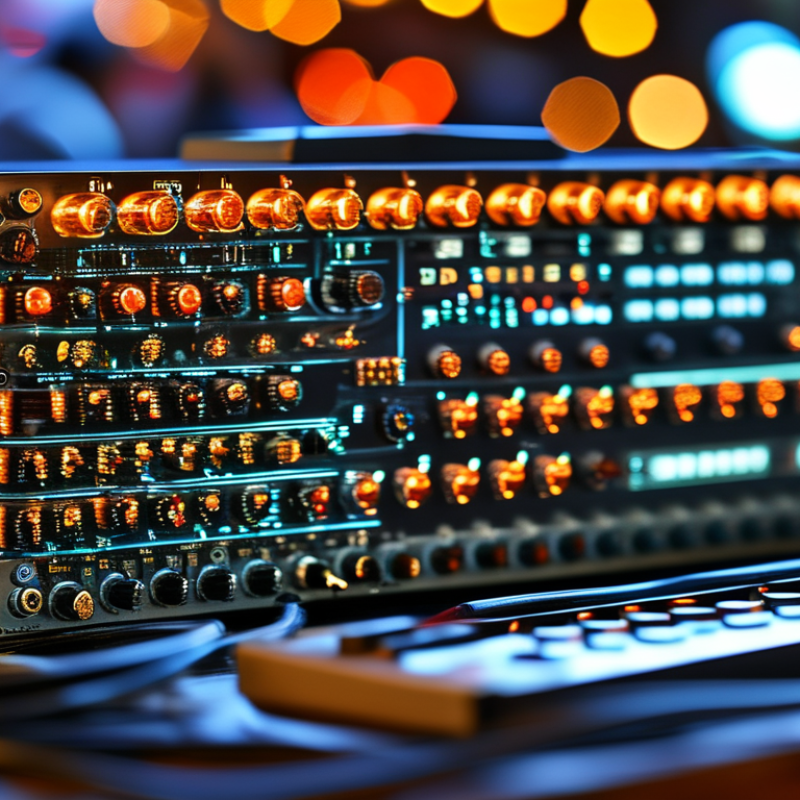
DMX512 is a widely used protocol in lighting control, particularly for festive displays. It enables communication between lighting fixtures and controllers. Understanding its structure is crucial for creating impressive holiday light shows. Each DMX512 channel sends a signal that corresponds to a specific parameter of a lighting fixture. This enables control over aspects like brightness, color, and movement.
Programming DMX512 controllers requires attention to detail and a clear layout. It's essential to map out your lights and understand their capabilities. This can be challenging; some fixtures may not respond as expected. Regular testing helps identify issues early. Additionally, familiarizing yourself with the DMX512 address system is vital. Each fixture needs a unique address to avoid conflicts.
During the setup, you may encounter frustration with connectivity or configuration. Don’t rush the process; take the time to adjust and fine-tune settings. It's okay to make mistakes. Learning from them enhances your programming skills. Remember, the objective is to create a display that captivates your audience and brings joy during the holiday season.
When selecting the right DMX512 controller for your holiday lights, consider the size of your display. A report by the Event Lighting Research Group noted that nearly 65% of festive displays use DMX512 controllers for synchronized lighting. Choose a controller that can handle the number of fixtures you plan to use. This ensures seamless operation without signal drops or delays.
Pay attention to compatibility. Many controllers support various lighting types, including LED and incandescent. However, not all controllers are compatible with every lighting system. Researching compatibility reduces the chances of hardware mismatch. A mismatch can lead to frustrating experiences and potential system failures.
Budget is also crucial. High-quality controllers can range widely in price. More expensive models often offer advanced features, like multiple channels and superior performance. Yet, for a small display, a basic model may suffice. Inadequate planning can lead to overspending. Always balance between features, requirements, and budget. Prioritize what matters most for your display's success.
| Tip Number | Tip Description | Difficulty Level | Estimated Time |
|---|---|---|---|
| 1 | Understand DMX512 Protocol | Easy | 30 min |
| 2 | Choose the Right Controller | Medium | 1 hour |
| 3 | Plan Your Lighting Layout | Medium | 2 hours |
| 4 | Setup DMX Addressing | Medium | 1 hour |
| 5 | Familiarize with Software | Easy | 1 hour |
| 6 | Create Light Scenes | Advanced | 3 hours |
| 7 | Test Your Setup | Easy | 30 min |
| 8 | Optimize Timing Sequences | Medium | 1 hour |
| 9 | Explore Effects and Transitions | Advanced | 2 hours |
| 10 | Document Your Setup | Easy | 1 hour |
Programming DMX512 controllers for holiday lights can transform any space into a dazzling display. Understanding the step-by-step process is crucial to achieving stunning results. A DMX512 controller allows you to control multiple lighting fixtures easily via a single interface. According to industry reports, more than 70% of lighting professionals favor DMX for its flexibility and reliability.
Start with mastering the wiring. Lights must connect properly to the controller for seamless operation. Pay attention to fixture addresses. Misconfigured addresses can lead to chaos during your display. Remember, even the smallest mistake can throw off your entire setup.
Another important step is to utilize software effectively. Various programs allow you to create sequences and control effects. Make sure to spend ample time experimenting with different settings. Trial and error is part of the learning curve. Organizing your DMX layout logically will also simplify adjustments later on.
Lastly, calibration is key. Spend time testing your lights in various patterns. Adjustments might be necessary to ensure everything flows smoothly. Over time, your skills will improve. It's essential to analyze your outcomes and consider areas for enhancement. Don't shy away from revisiting your programming to elevate future displays.
Creating effective light shows with DMX512 software requires both creativity and technical know-how. Start by familiarizing yourself with the software interface. Most DMX software offers visuals like timelines and matrix controls to manipulate light fixtures.
Experiment with different layouts for your light fixtures. Make sure to test various settings. Sometimes the expected results differ from what you see on screen.
Utilizing the software’s presets can streamline your process. However, custom programming often brings the best results. Create unique scenes that change with the music. Pay attention to sync issues between audio and lights. This timing can greatly affect the show's impact. Consider slow transitions and abrupt changes. Both can evoke different emotions.
Don’t be afraid to make mistakes. Testing is vital. Run your show multiple times and adjust as needed. Observing the audience's reactions can provide insights for improvements. Some elements may not work as intended. Embrace these moments for growth. Aim for progress, not perfection, in your light programming journey.
When setting up DMX512 lighting, common issues can arise, often confusing both beginners and seasoned pros. One frequent pitfall is ineffective communication between devices. According to industry reports, around 30% of DMX512 setups fail during initial setup due to wiring issues. Ensure that your connections are secure and that you are using quality cables. Verify that your controller and fixtures are correctly configured and communicating effectively. This often requires a systematic approach to troubleshooting.
Another significant issue often encountered is channel assignment. Incorrect channel mapping can lead to unexpected results. Inadequate documentation from equipment manufacturers can exacerbate this problem. A survey of lighting technicians revealed that 25% faced difficulties with channel assignments during events. Maintaining a clear and organized documentation of your DMX configuration is essential. Consider using labeled diagrams for each fixture's address and function.
Noise interference can also hinder the performance of your DMX512 lighting. The National Electrical Manufacturers Association suggests proper grounding and shielding techniques when setting up the system. Over 15% of users reported erratic performance due to external electrical noise. Experimenting with different cable routes or adjusting the layout of your lights can lead to more reliable operation. Debugging lighting setups can be a trial-and-error process, and accepting this can improve your troubleshooting skills.
: DMX512 is used for controlling holiday lighting displays. It communicates between fixtures and controllers.
Start by connecting your lights correctly to the controller and mapping their addresses accurately.
Each fixture needs a unique address to avoid conflicts and ensure proper functioning during displays.
Regularly test your setup, adjust configurations, and troubleshoot connectivity issues to identify problems.
Yes, mistakes are common. Learn from them to improve your programming skills over time.
Experiment with different lighting patterns and settings to find what captivates your audience the most.
Take your time and don't rush the process. Adjust and fine-tune settings as needed.
Yes, using software allows for sequences and effects, making the setup process more manageable.
Regularly revisit and analyze your programming. Look for ways to enhance future displays.
Double-check the wiring and addresses. Some fixtures may need specific adjustments for better responsiveness.
In the article "Top 10 Tips to Program DMX512 Controllers for Holiday Lights," we explore essential strategies for effectively using DMX512 controllers to enhance holiday lighting displays. It begins with an understanding of the DMX512 protocol, which is fundamental for achieving seamless control over lighting effects. Selecting the appropriate DMX512 controller tailored to your display requirements is crucial for optimal performance.
The article also provides a comprehensive, step-by-step guide on how to program DMX512 controllers for holiday light shows, helping users create dazzling light shows with ease. Additionally, it emphasizes the importance of DMX512 software in crafting effective lighting sequences while addressing common troubleshooting issues that may arise during setup. By following these guidelines, users can transform their holiday lighting displays into spectacular visual narratives that captivate and inspire.

WoodLit Light